Hourly view: zoom into a single day
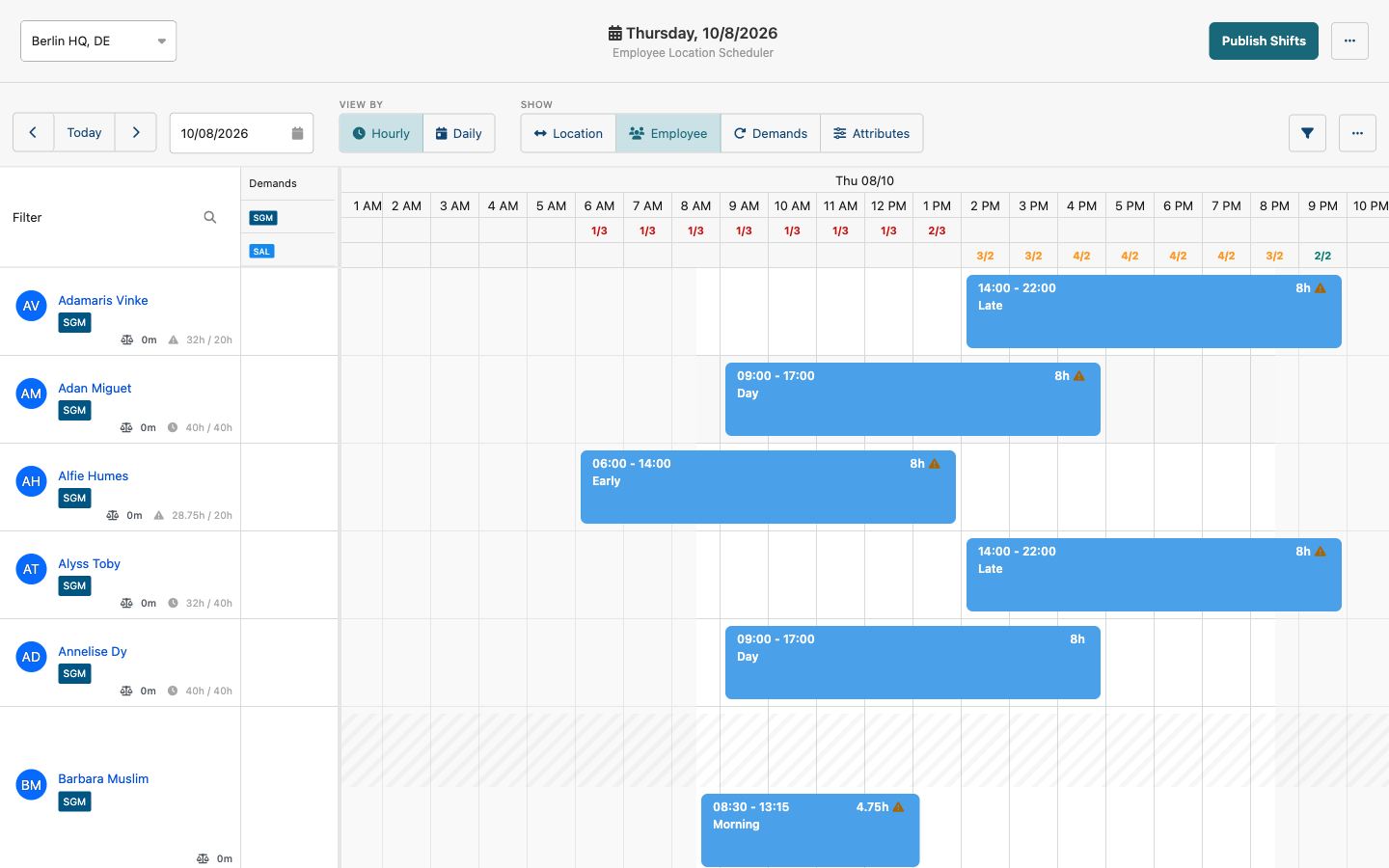
Plan a busy day hour by hour. The header shows covered versus required staff for every hour, so you spot gaps before they happen.
Shift Planner update
We are moving every customer from the Legacy Shift Planner to the new Shift Planner, and our team can help you make the switch.
The new Shift Planner already runs the schedules of flair customers today. It plans faster, gives employees more self-service, and is where all our shift-planning work now goes. Rather than maintain two tools, we are bringing everyone onto the better one. The Legacy Shift Planner will be retired once customers have moved.
Plan a busy day hour by hour. The header shows covered versus required staff for every hour, so you spot gaps before they happen.
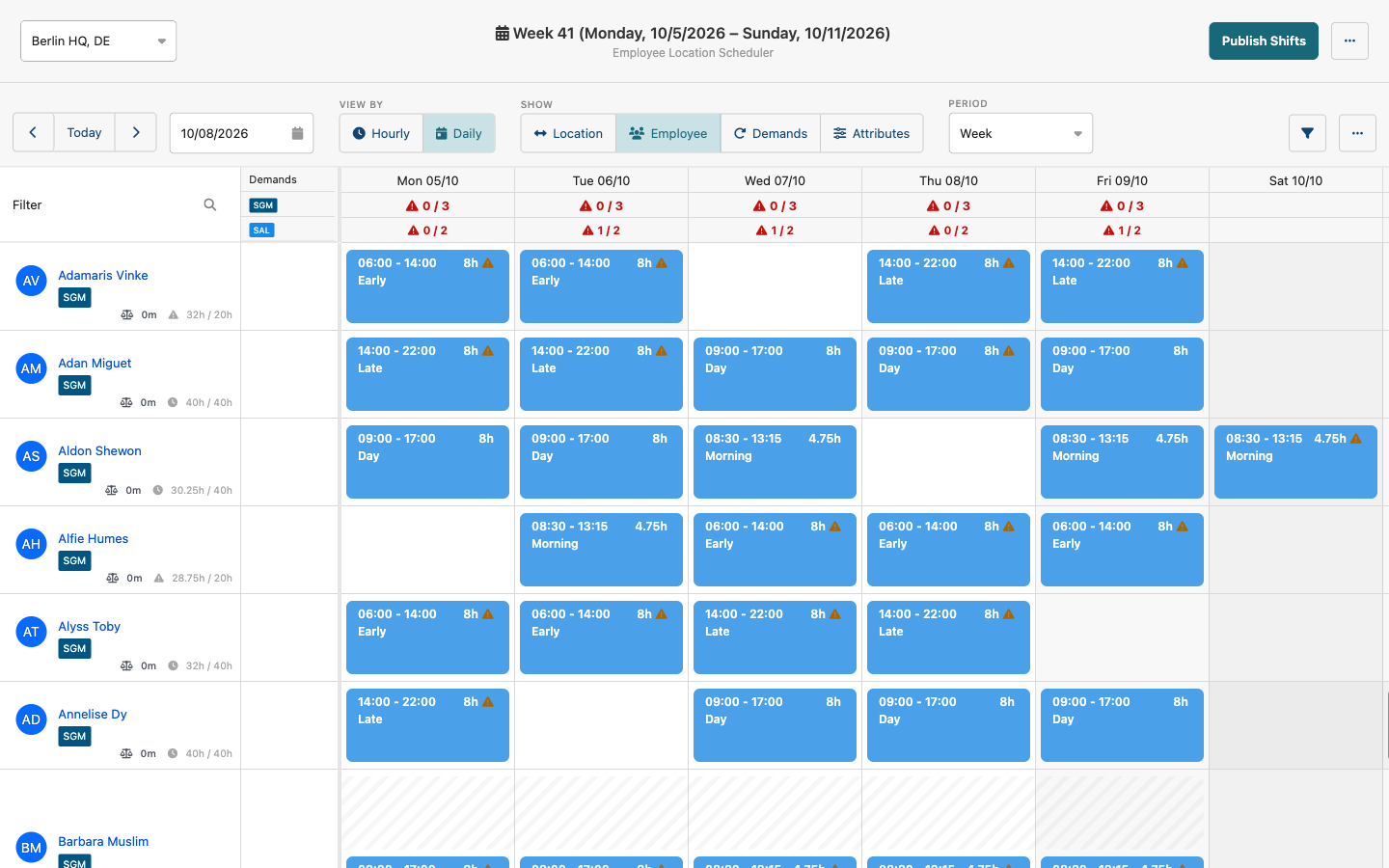
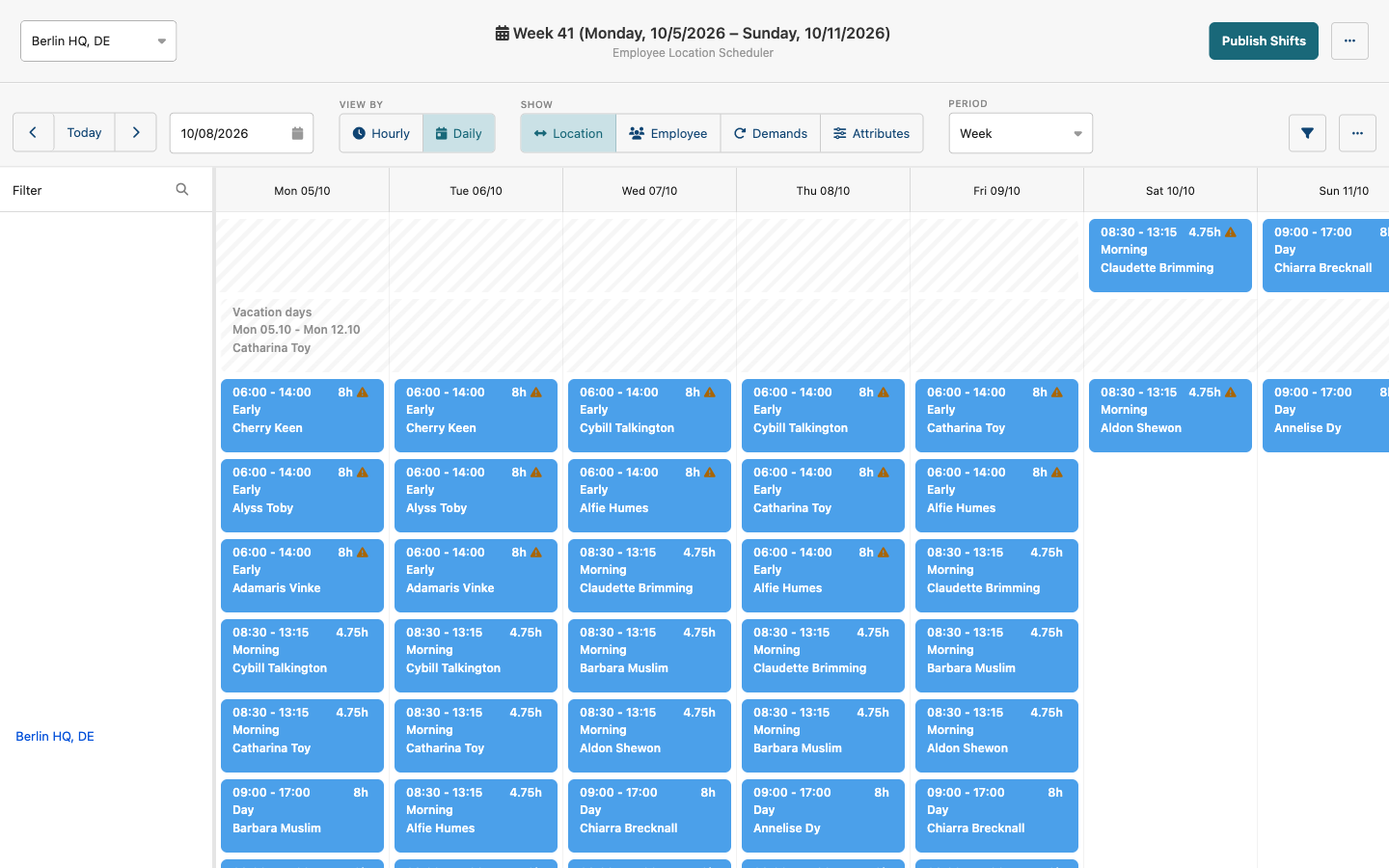
One row per location, with every shift and absence at that site. Switch between Employee, Location, Demands and Attributes in one click.
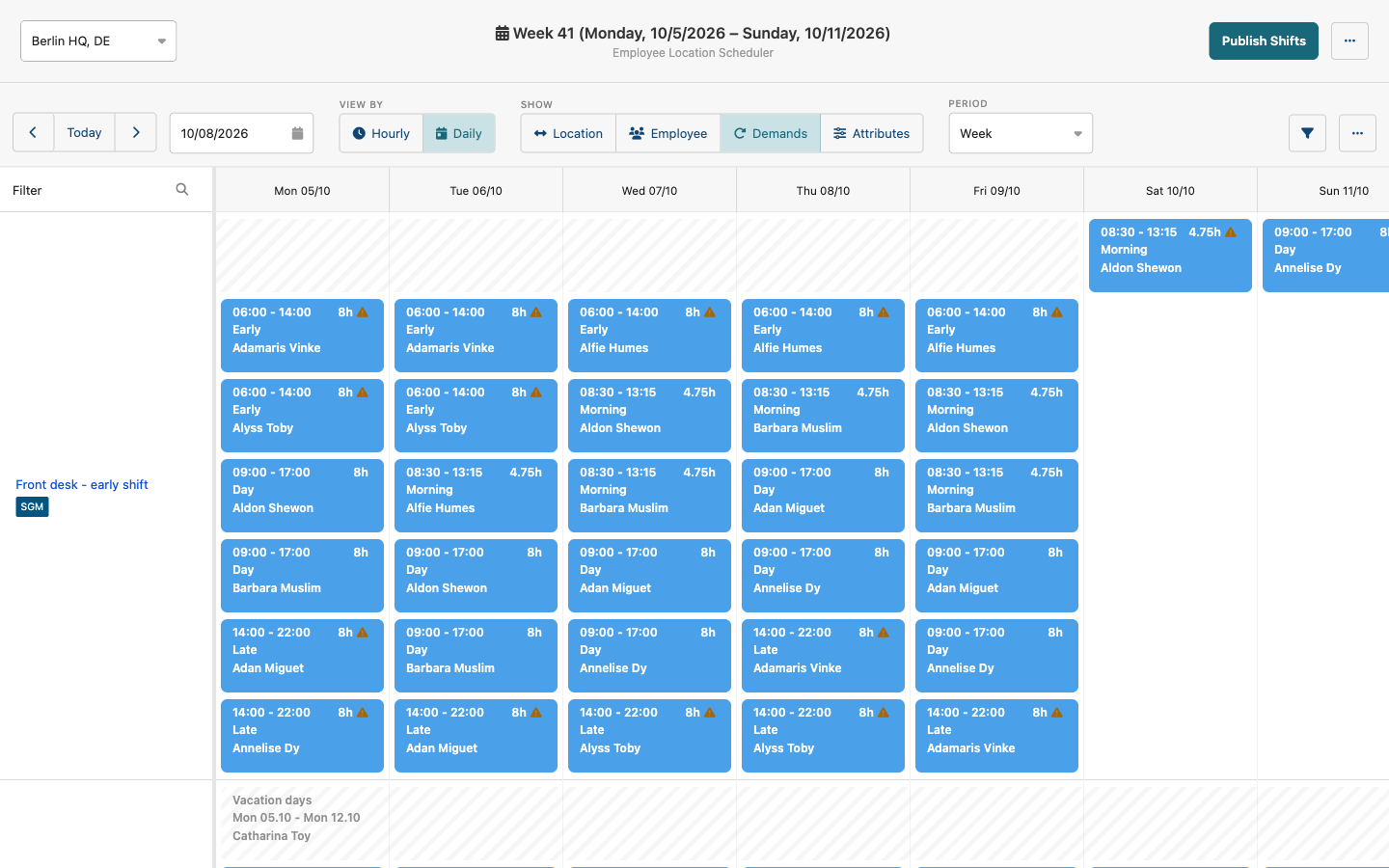
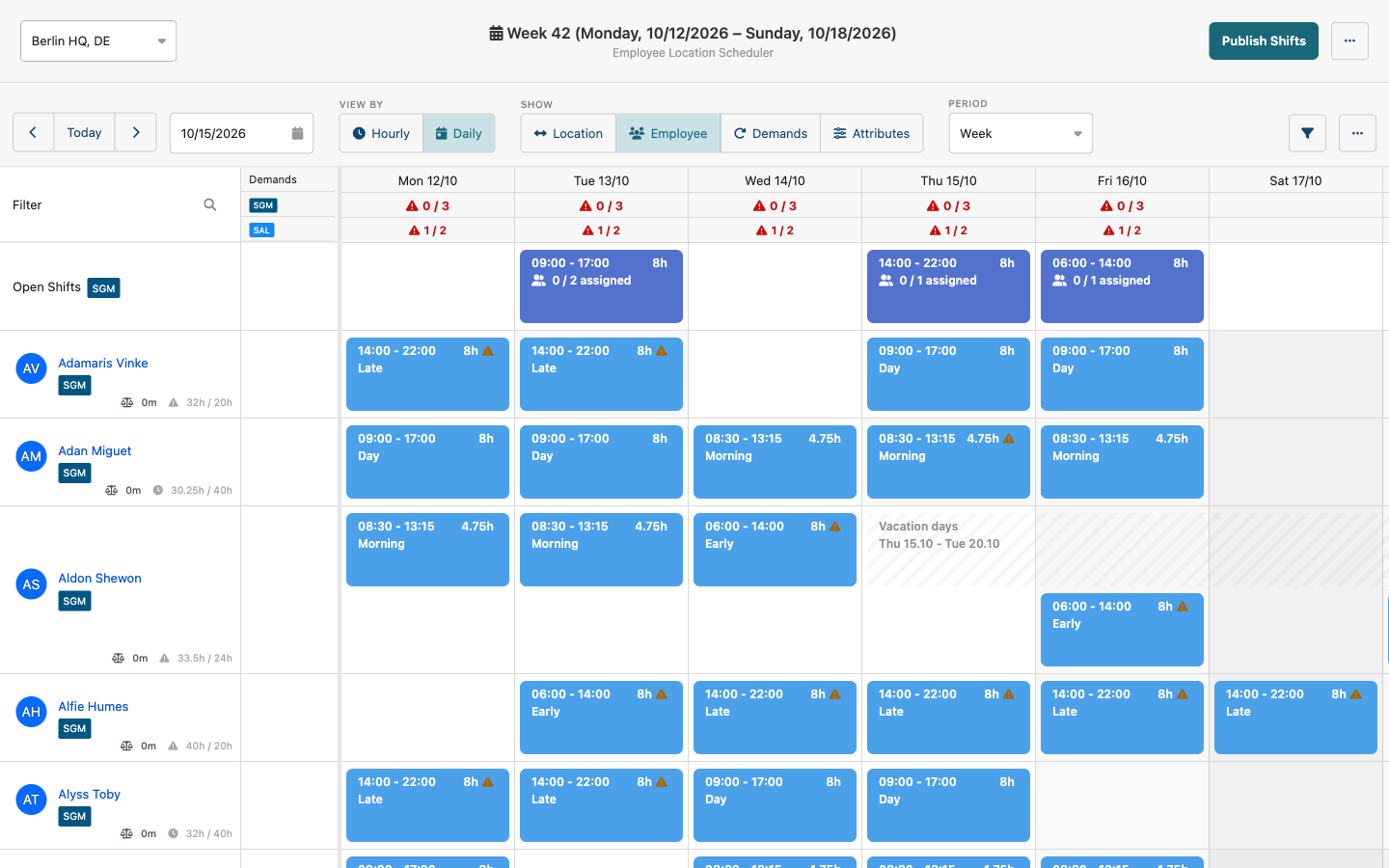
One row per staffing need, such as "3 German speakers at the front desk on early shifts". See covered versus required staff each day, and which shifts count toward it.
Group rows by department, team, or any other employee field. Run several independent schedules so each manager plans their own area.
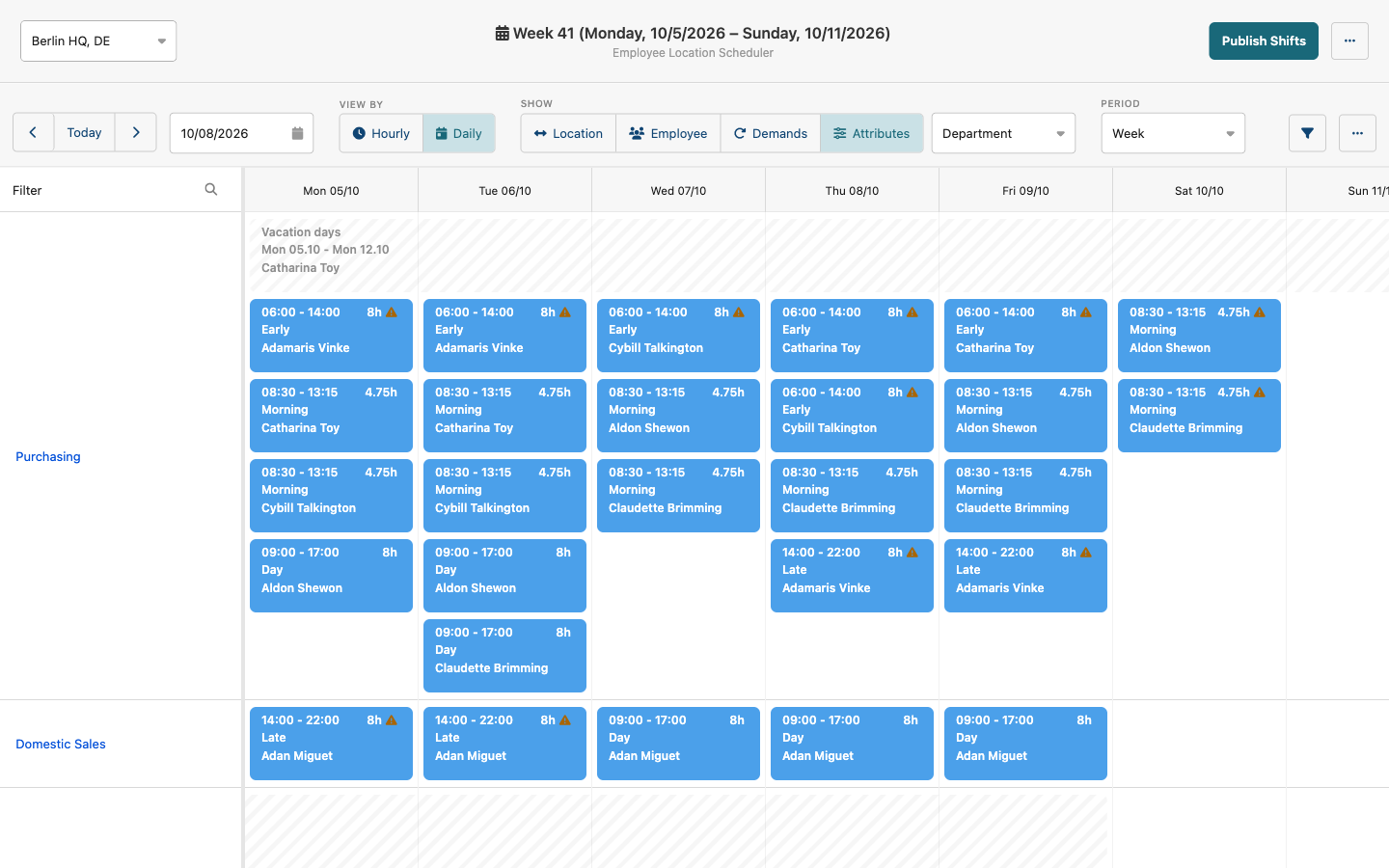
Absences and working hours appear right on the plan. Post an Open Shift and let qualified employees request it, scoped by location and skill.
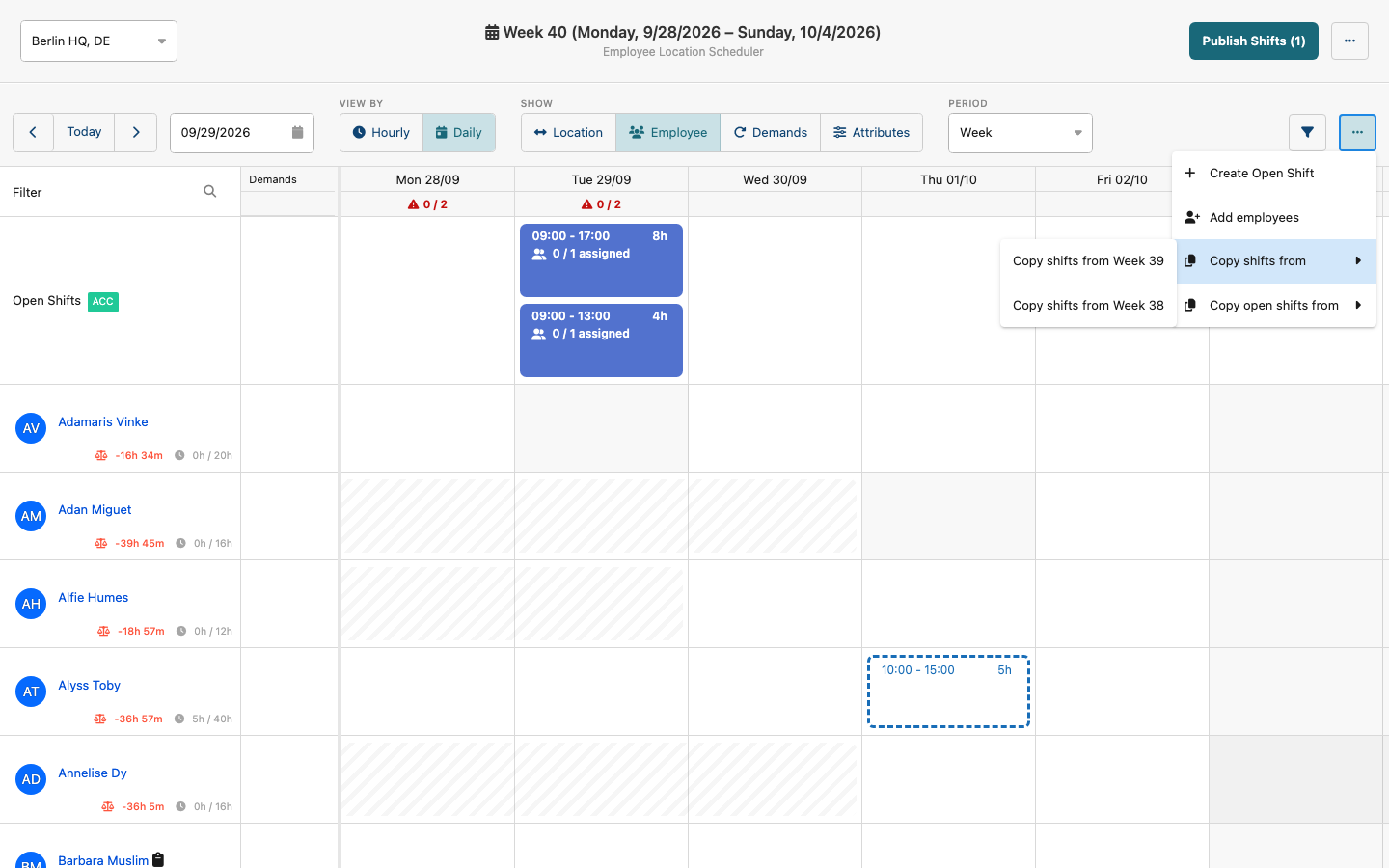
Copy shifts or Open Shifts from any earlier week, not only the last one. Predefined Shifts and recurring shifts cover the rest of your routine.
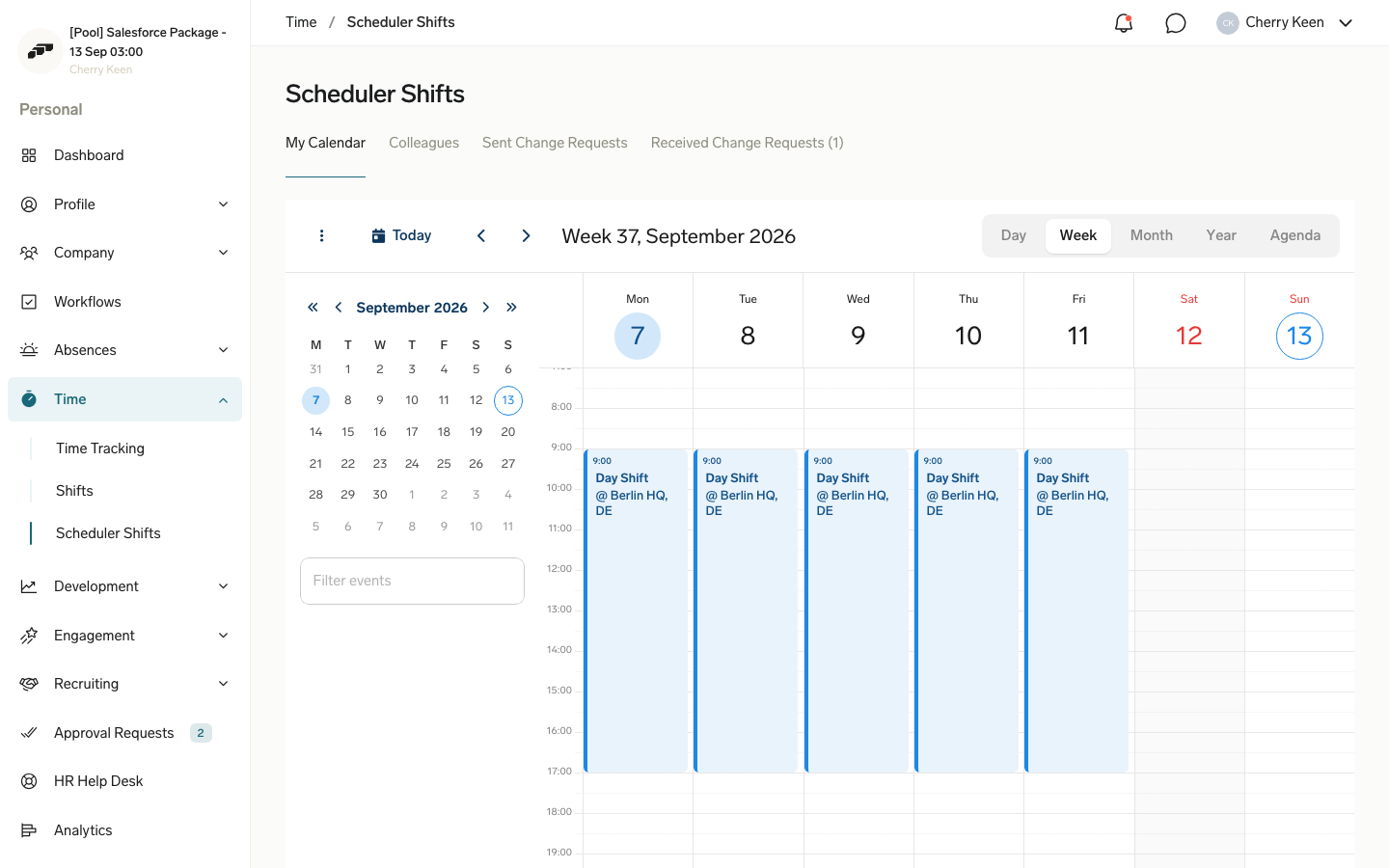
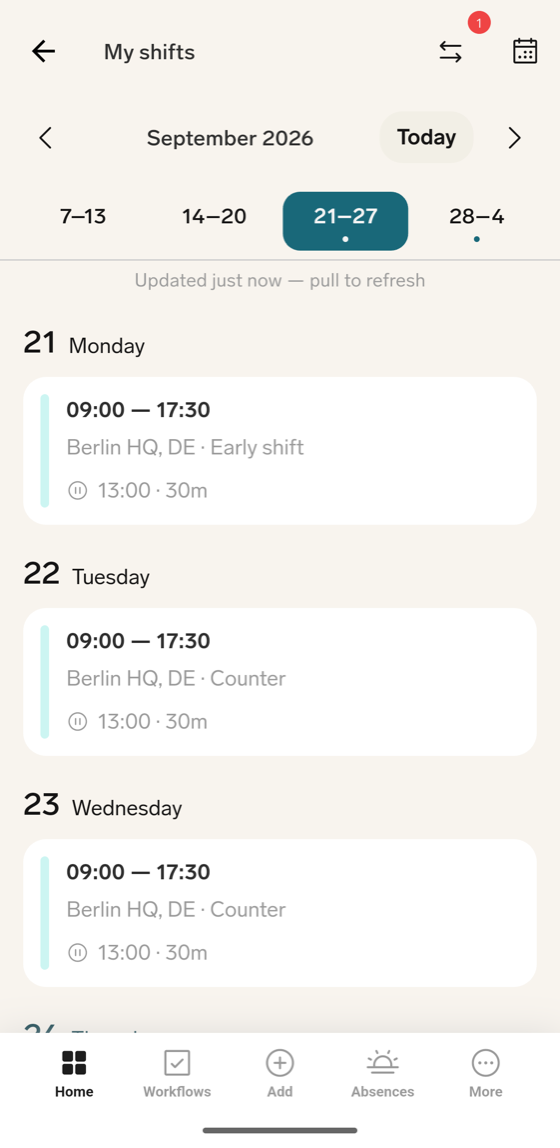
Employees see their shifts by day or week, check colleagues' schedules, and request Open Shifts in one click. Their manager confirms each request.
Employees hand a shift to a colleague. The colleague accepts, the manager approves, and the plan updates. No more chat threads to track swaps.
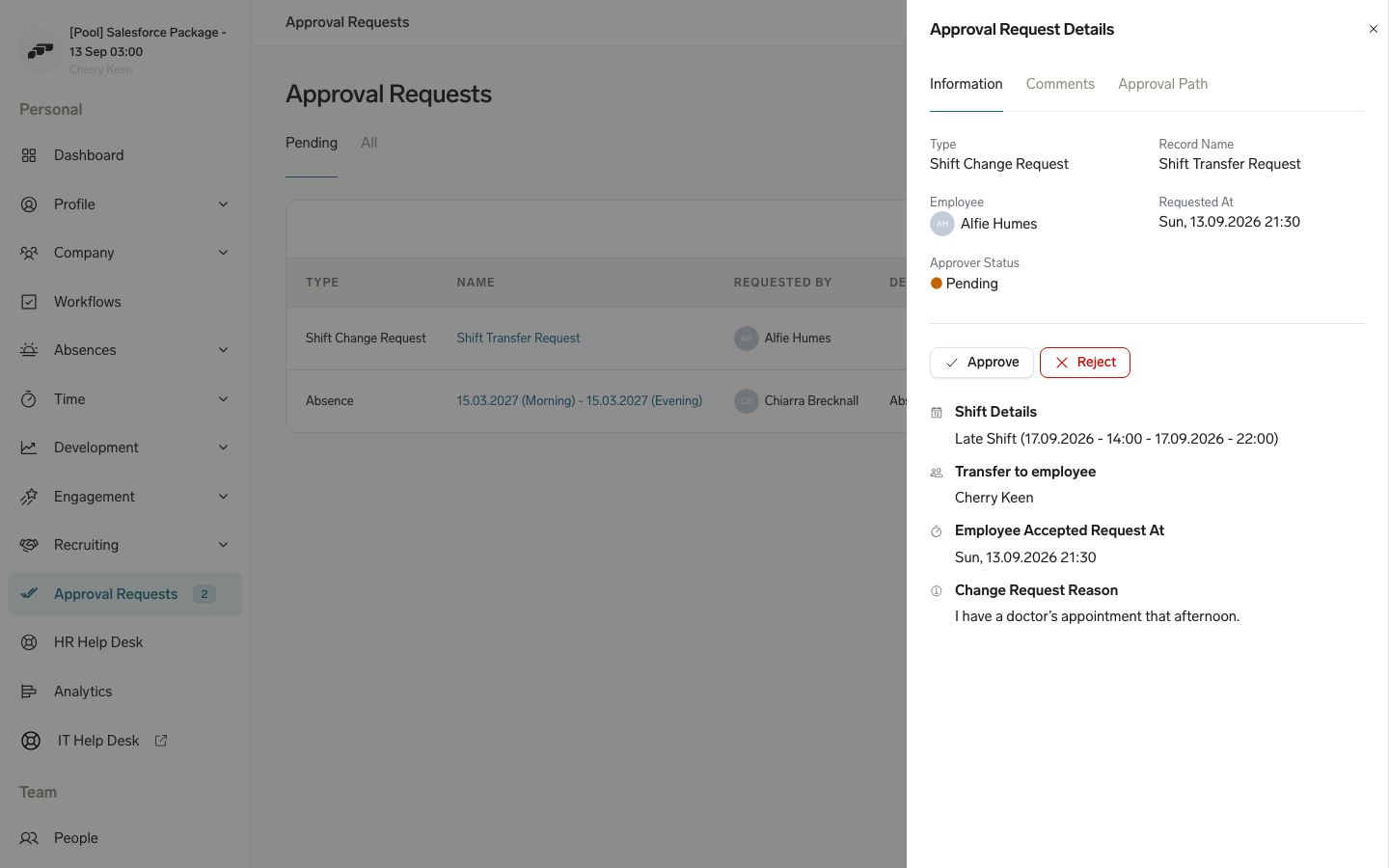
Employees check their next shift, request Open Shifts, and send Shift Transfers from their phone, even offline with cached shifts.
The new Shift Planner is actively developed. Here is what our team is working on next.
Faster loading for large teams, and a six-month view for long-range planning.
Fewer clicks to create, edit, and delete shifts.
Warnings before you overbook someone or break a working-time rule.
More ways for employees to swap and pick up shifts.
Write to our team and tell us which locations and teams use the Shift Planner today. We turn on the new Shift Planner for you.
Configure your schedules and move your shift setup with our guides. Our team can help if you need it.
Managers plan in the new view and employees see their shifts in the Employee Hub and mobile app.