Create a percentage-based absence
Create a partial absence for situations such as Swiss partial sick leave. The selected percentage scales the absence amount and the employee's daily target hours.
Who can use this?
HR Admins and managers in Salesforce.
Before you begin
- The absence category is a daily category.
- You can create or edit absence categories and absences in Salesforce.
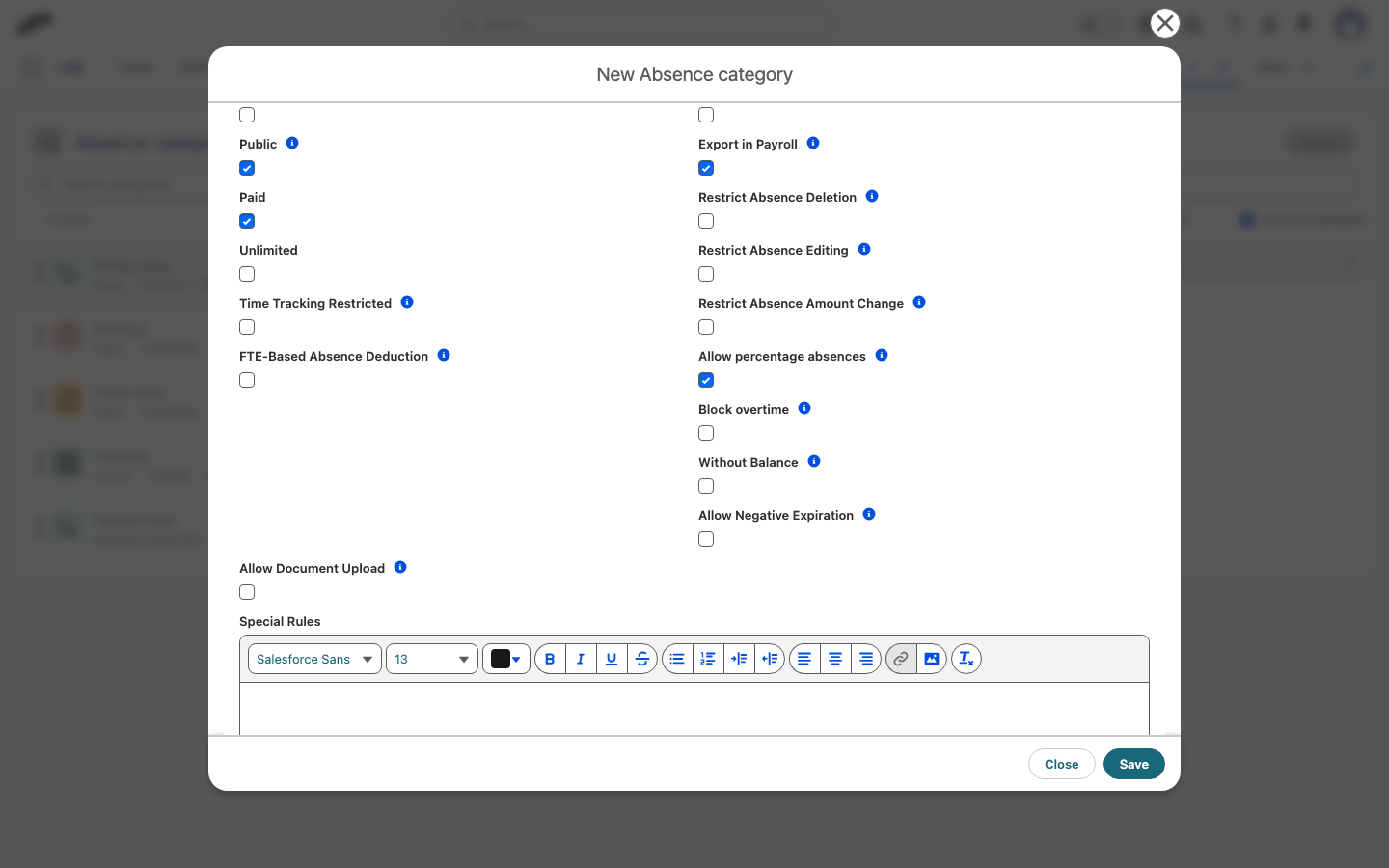
Enable percentage absences for a category
Percentage absences are available only when the category allows them.
- In the flair HR app, open HR Admin.
- Go to Attendance → Absence Categories and Policies.
- In Absence Categories, create or edit a daily category.
- Enable Allow percentage absences.
- Optional: Enable Block overtime. Covered days cannot accumulate positive time balance.
- Click Save.
Create a percentage-based absence
- In the flair HR app, open Attendance → Absences, and then click Add Absence.
- Select an employee, and then select the daily absence category.
- In Absence percentage, select a value from 10% to 100%. The picker defaults to 100%.
- In From and To, select the absence dates.
- Review the calculated absence amount and the policy warning, if one appears.
- Click Save. flair stores the percentage on the absence and recalculates the affected absence days.
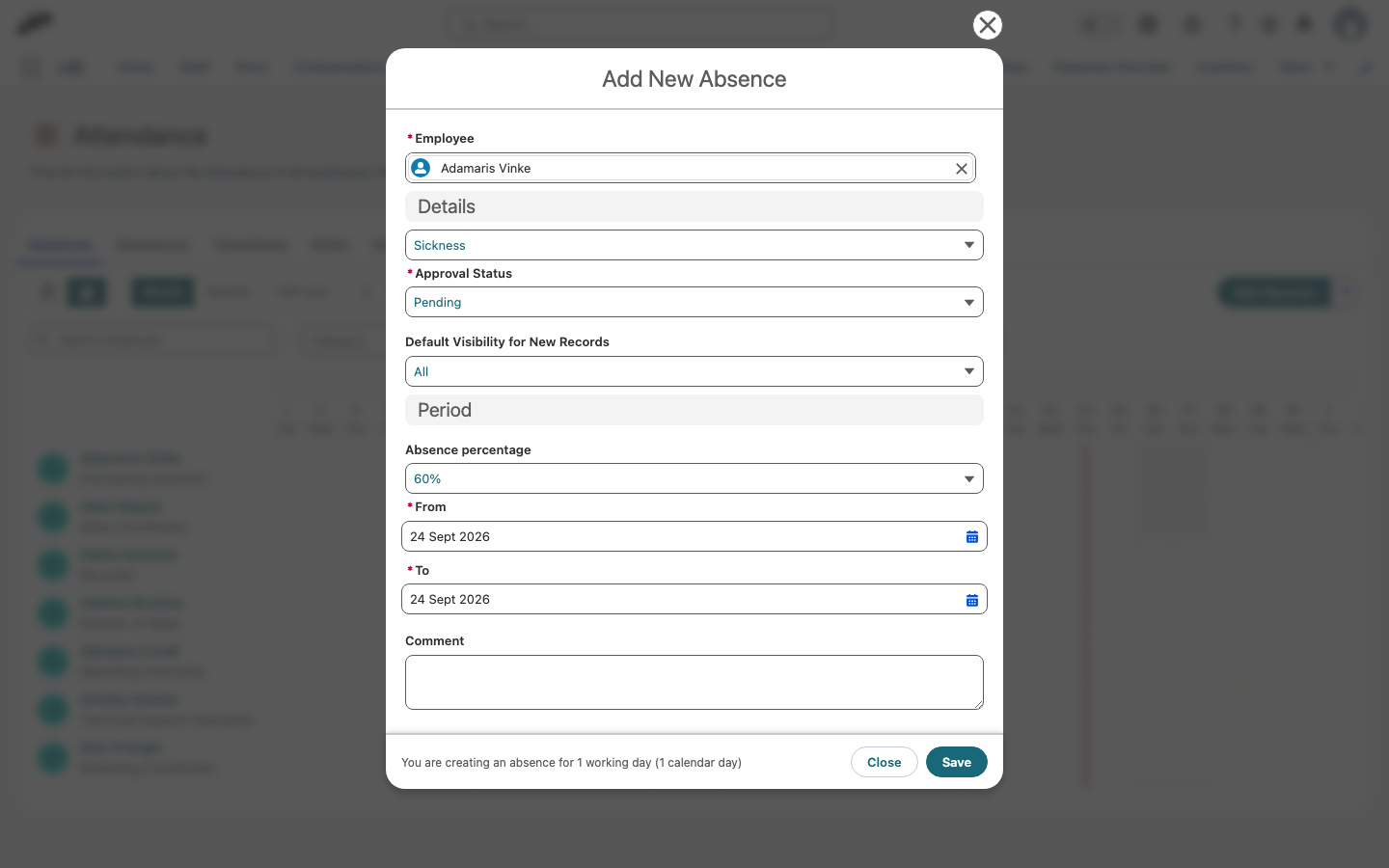
When you select a value below 100%, the half-day controls are unavailable. Select 100% when you need a full-day or half-day absence; half-day controls remain available at 100%.
Understand the calculation
The percentage applies to each covered working day. For example, a 60% absence on a day with an eight-hour target deducts 60% of that day's absence value and leaves a proportionally reduced target:
- The absence withdraws the scaled amount from the employee's balance.
- The Working Amount on the absence reflects the scaled amount.
- The daily target hours decrease in proportion to the absence percentage, including when workload hours change during the absence.
- When Block overtime is enabled for the category, covered days cannot accrue positive time balance. Deficits still count.