Create and manage employee surveys
Create employee surveys in Salesforce, select participants, and review responses. Employees answer Engagement Surveys in the Employee Hub, and eNPS surveys and Smiley Check-Ins from email or the Employee Hub.
HR teams create and analyze surveys in Salesforce. Employees respond from email or the Employee Hub.
Create an Engagement Survey
- In the flair HR app in Salesforce, open Engagement.
- Select Surveys.
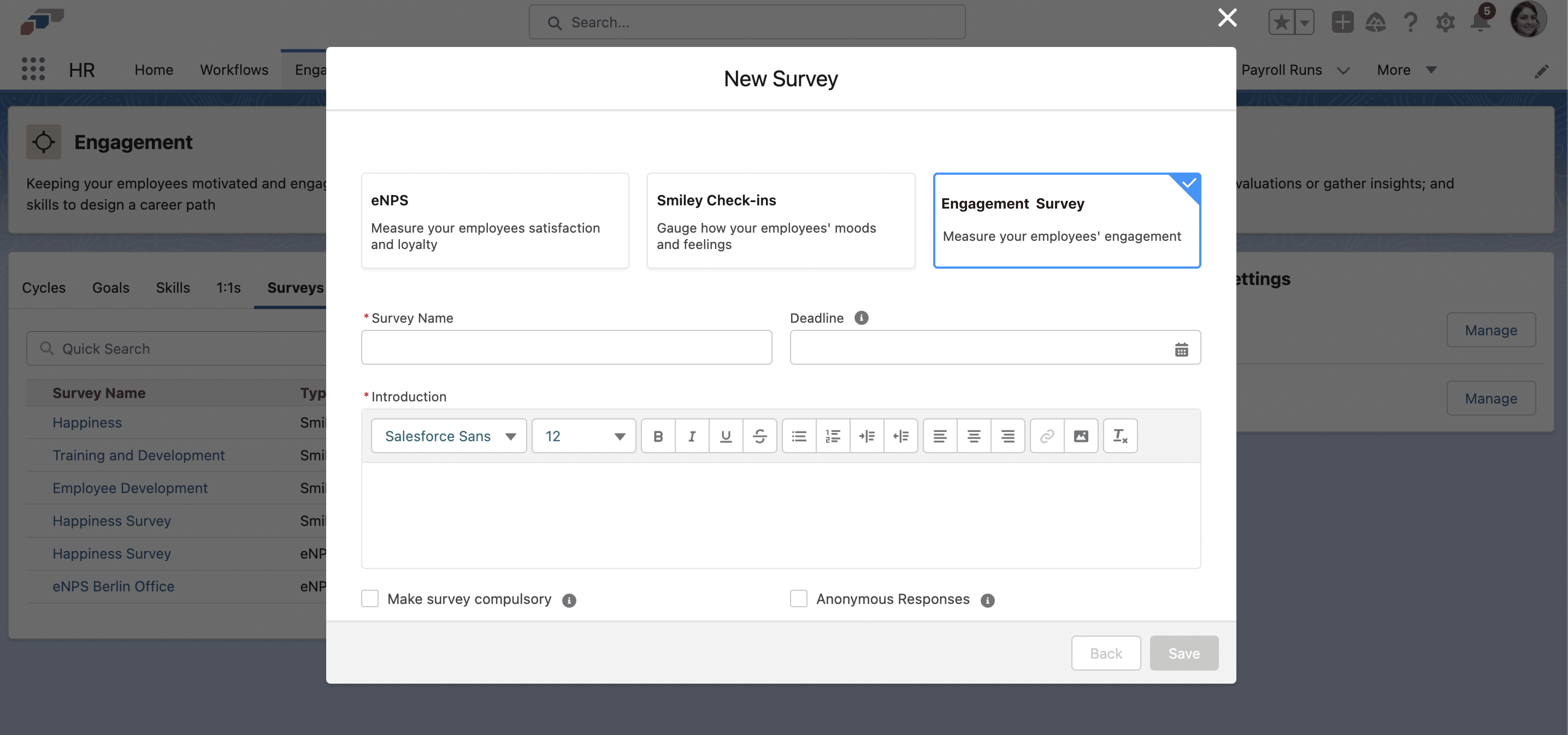
- Click New Survey.
- Complete Survey Name, Introduction, and Deadline.
- Click Save. The survey is available for further configuration.
- Open the survey, and add questionnaire sections, participants, and result tracking.
Collect anonymous responses
An Engagement Survey can collect responses without linking them to the employees who gave them.
-
In the flair HR app, open Engagement → Surveys.
-
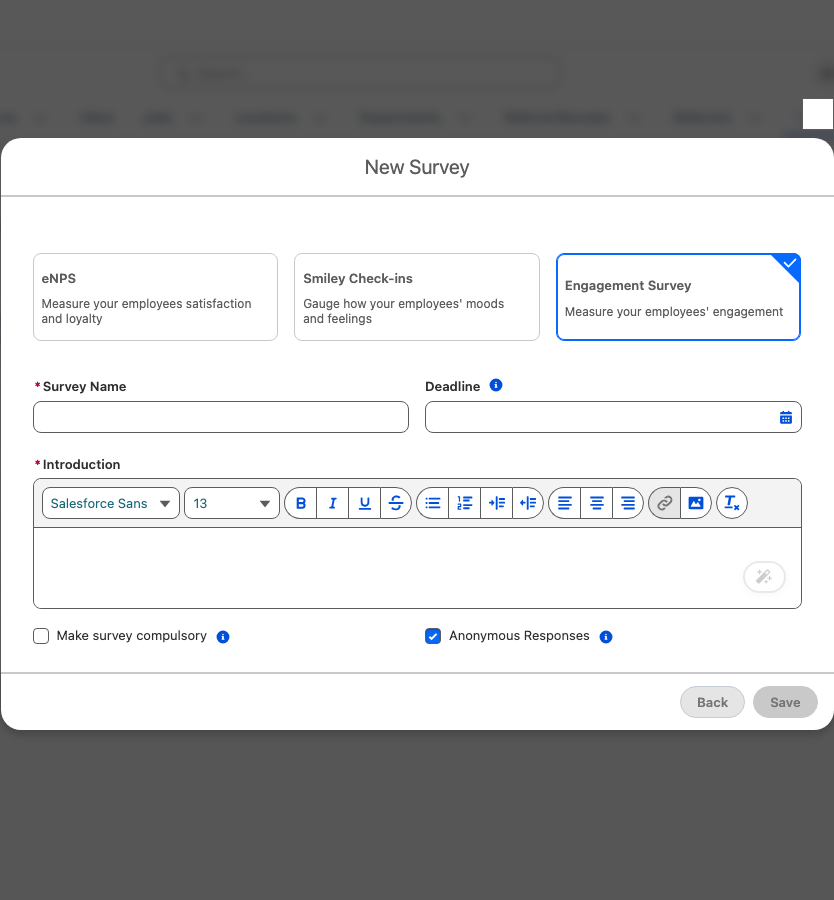
Click New Survey, and select Engagement Survey.
-
Select Anonymous Responses.
-
Complete the remaining settings as described in Create an Engagement Survey.
When a survey collects anonymous responses:
- flair doesn't store the employee on the response. It stores a one-way key derived from the employee and the survey, so the response can't be traced back to the employee in Salesforce.
- The key is different in each survey, so one employee's responses can't be matched across surveys.
- flair can still check whether an employee has already responded, without storing who responded.
- On the survey's Participants tab, participants are numbered instead of named, and no one's individual progress is shown. A summary shows how many participants completed the survey and how many are still in progress. Only submitted responses count as completed.
- On the Results tab, answers appear without the employee who gave them, and you can't filter results by entity, department, location, or manager.
- In the Employee Hub, the About this survey card tells employees that responses are collected anonymously.
- You can't change Anonymous Responses once the survey has started.
flair also converted responses that anonymous surveys collected before this protection was introduced. If an employee had more than one response to the same survey, only one was converted, and the others still store the employee.
Anonymity covers how flair stores and displays responses. A comment can still reveal who wrote it, and in a survey with very few participants, results can let readers infer who answered.
Create an eNPS survey or Smiley Check-In
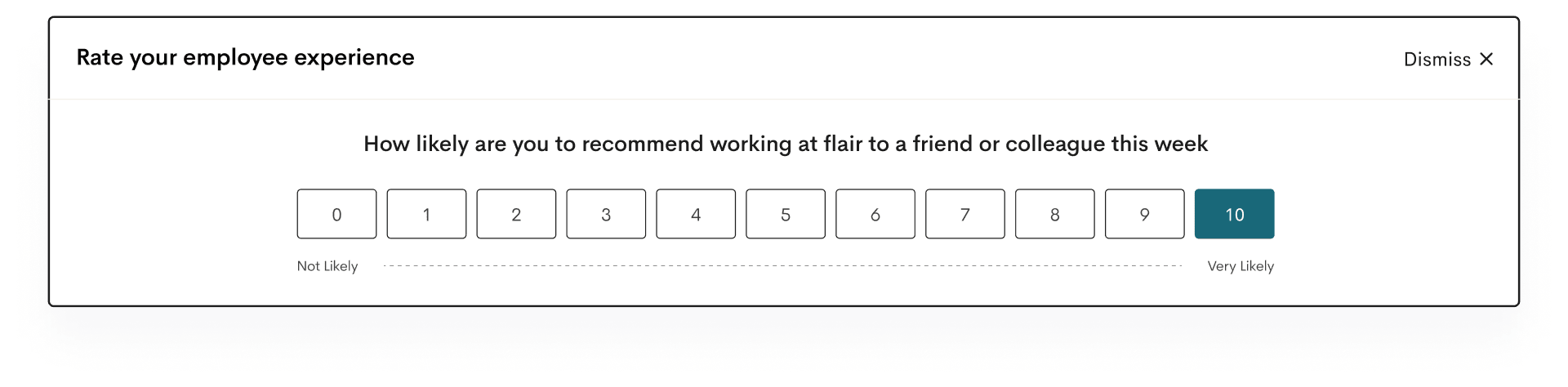
An eNPS survey asks employees for a score from 0 to 10, commonly based on their likelihood to recommend the company as a workplace. A Smiley Check-In records sentiment with a happy, neutral, or sad face.
-
In the flair HR app, open Engagement → Surveys.
-
Click New Survey.
-
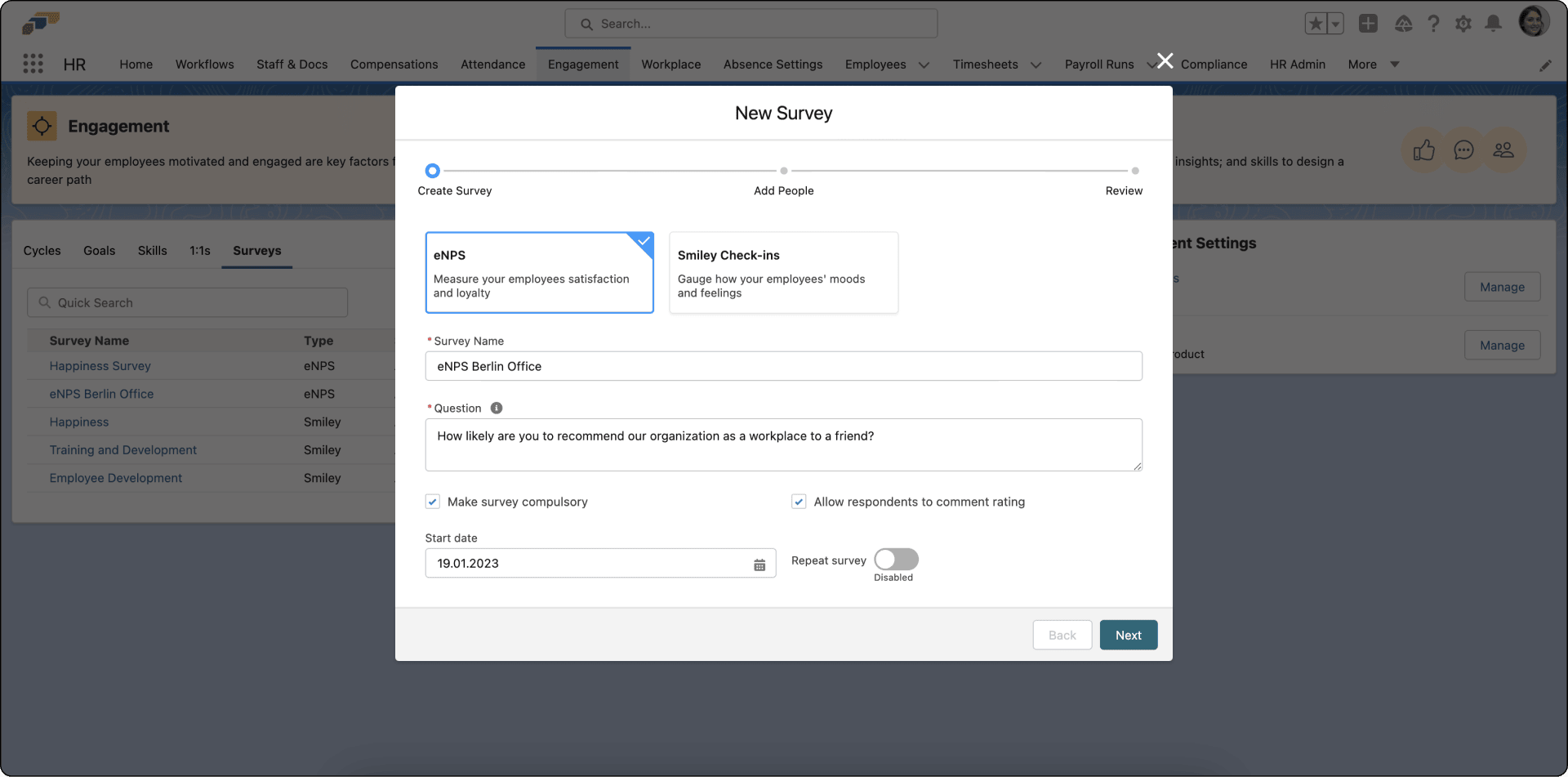
Select the survey type.
-
Enter the survey name and question.
-
Choose whether participation is compulsory and whether respondents can comment.
-
Select a start date and, for a repeating survey, its frequency.
-
Click Next.
-
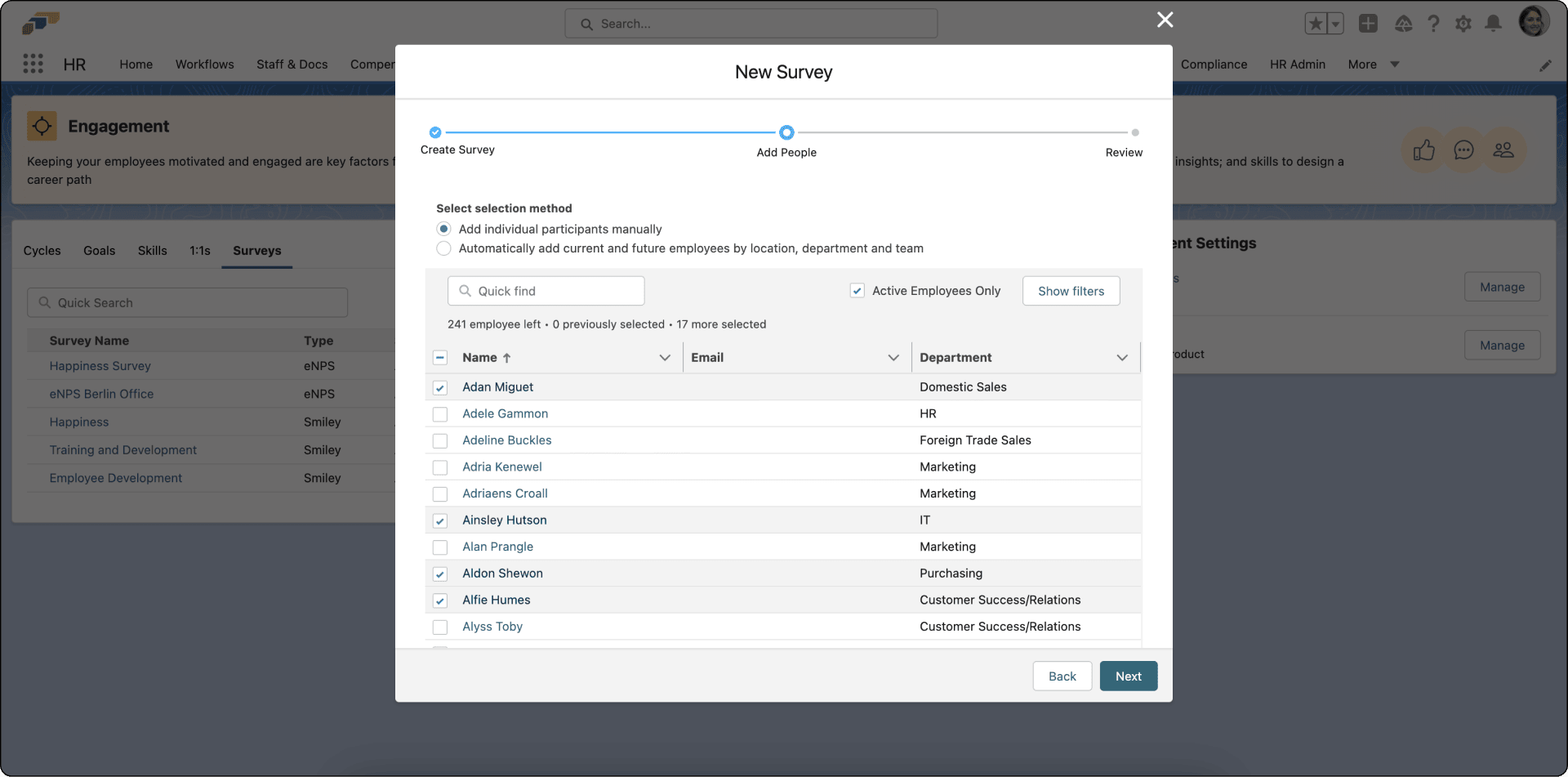
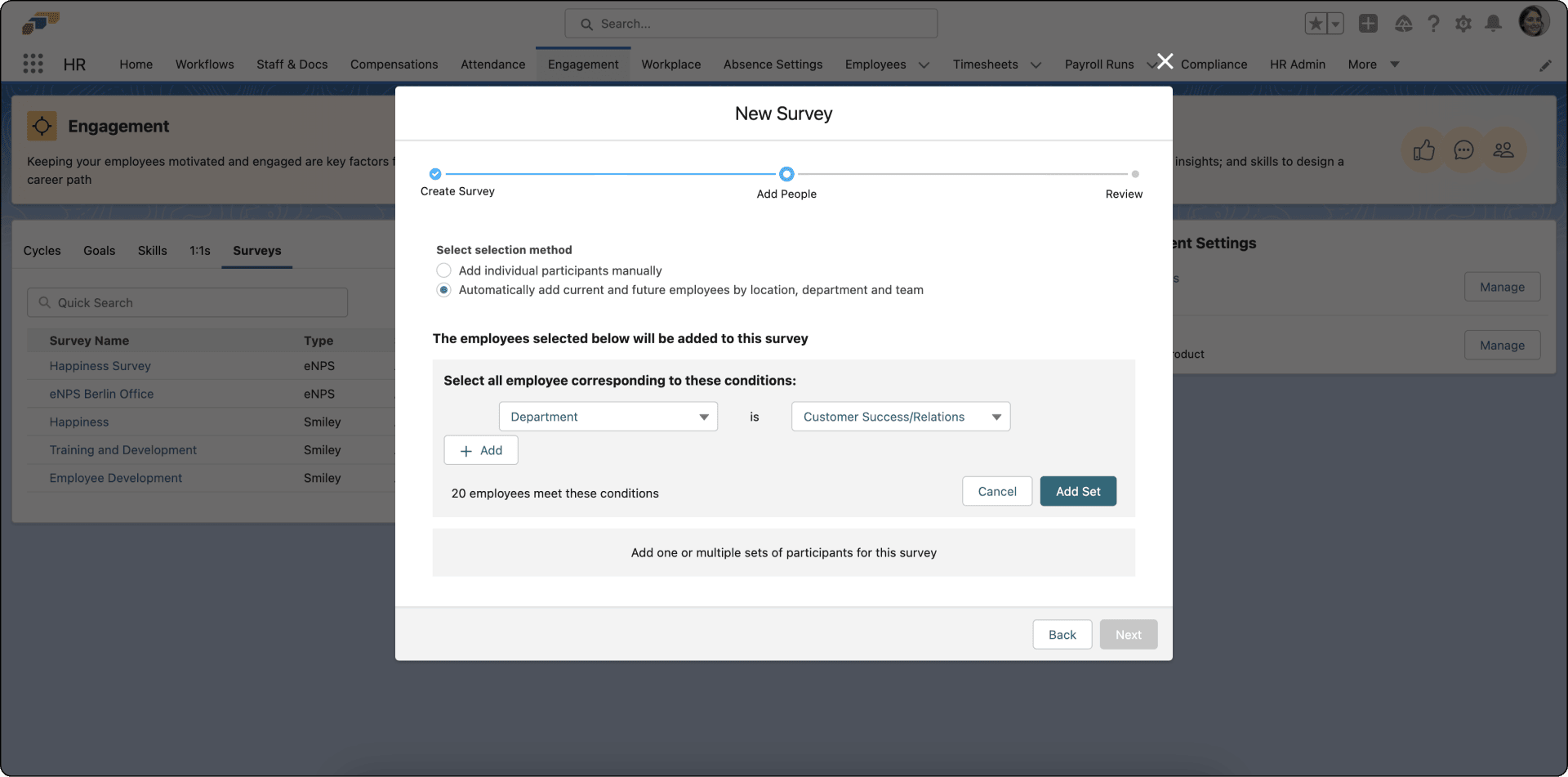
Add participants individually or select them by location, department, or team.
-
For a location, department, or team selection, click Add Set.
-
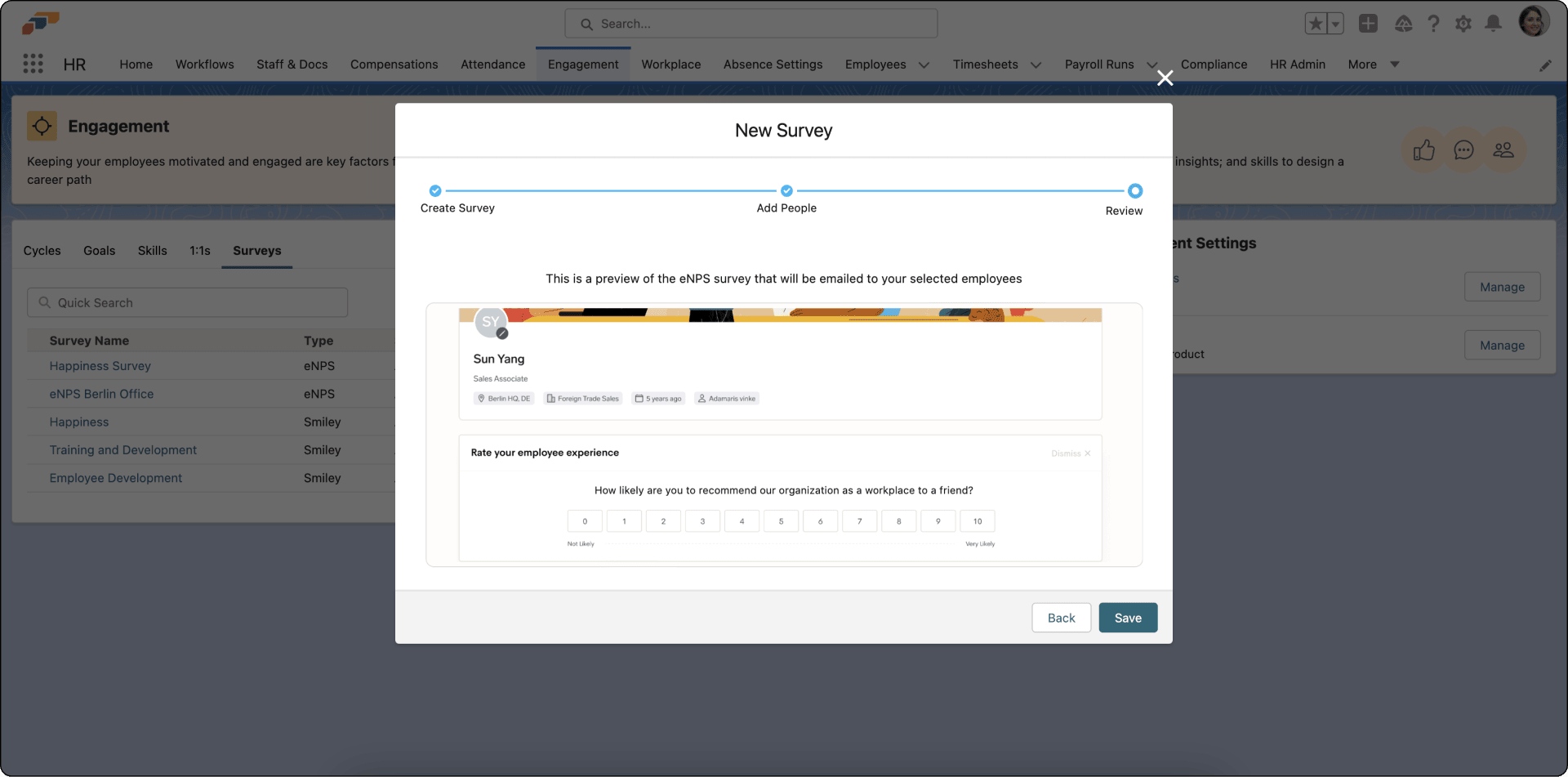
Click Next, review the preview, and click Save.
Edit or disable a survey
-
In the flair HR app, open Engagement → Surveys.
-
Beside the survey, click the arrow.
-
Select an action:
Action What it does Show Results Displays a summary of responses. Disable Pauses the survey. Edit Changes the name, question, frequency, or participants. Delete Removes the survey from the app. -
Complete the selected action.
Analyze survey results
- In the flair HR app, open Engagement → Surveys.
- Open the survey. Results appear in chart or list views with respondent comments.
- To review a specific period, select a cycle. You can define cycles from Engagement → Cycles.
You can also combine all results or compare how scores change over time.
Respond to an Engagement Survey
Employees answer Engagement Surveys in the Employee Hub. While a survey waits for your answer, the Dashboard shows an Engagement Surveys card with a Go there button. The Surveys menu item and the Dashboard card don't appear when Hide Surveys is selected in your Employee Hub feature set.
- In the Employee Hub, open Engagement → Surveys.
- Under Active surveys, find the survey, and click Answer survey.
- Check the About this survey card. It shows the closing date and whether responses are collected anonymously.
- Answer the questions. flair saves each answer as you enter it, so you can leave and continue later.
- Click Submit. The button is available after you answer every required question.
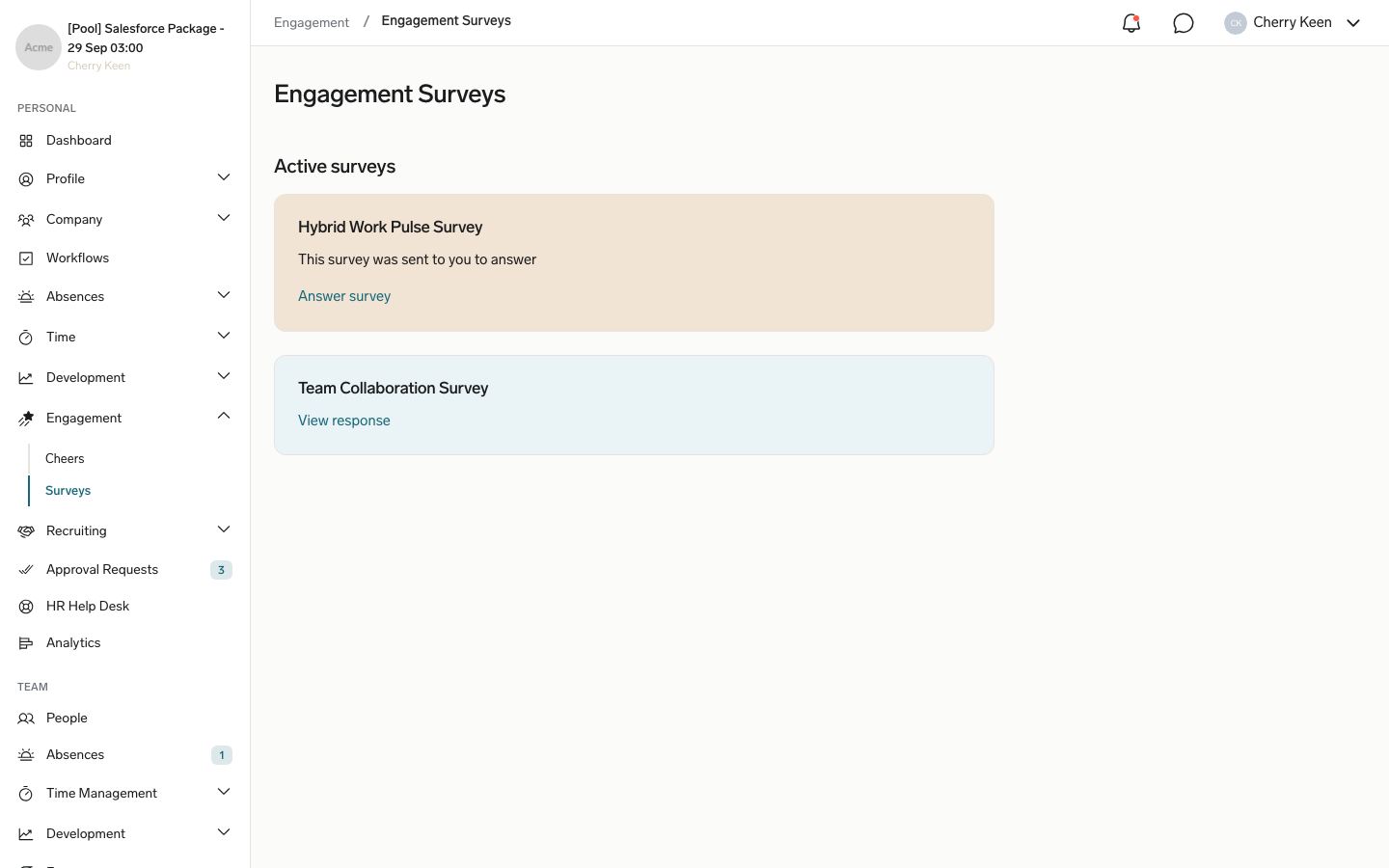
After you submit, the survey card shows View response, which opens your answers read-only. If the survey isn't compulsory, you can click Dismiss instead of submitting and confirm. Dismissing is final: the card then shows Survey was dismissed, and you can't answer the survey anymore. When the survey's deadline passes, it no longer appears in the list.
Whether flair stores your name with your answers depends on Anonymous Responses. See Collect anonymous responses.
Respond to an eNPS survey
The invitation arrives by email and on the Employee Hub Dashboard. Participation can be optional or compulsory. The survey results in Salesforce show scores and comments without names, but each answer record still stores the employee who gave it.
- Open the eNPS survey.
- Select a score from 0 to 10, from Not Likely to Very Likely.
- Optional: Enter a comment.
- Submit the response.
Respond to a Smiley Check-In
- Open the Smiley Check-In from email or the Employee Hub Dashboard.
- Select one of the five faces, from Awful to Amazing.
- Optional: Enter a comment that explains your choice.
- Submit the response.