AI Summarization
Note: flair AI is a paid feature. If you don't see the AI chatbot in your organization, please contact our sales team to learn more about adding this capability to your flair subscription.
Disclaimer: AI-generated content may contain inaccuracies or errors. Always verify important information and use AI assistance as a supportive tool rather than a definitive source. Review AI responses carefully before making decisions based on the provided information.
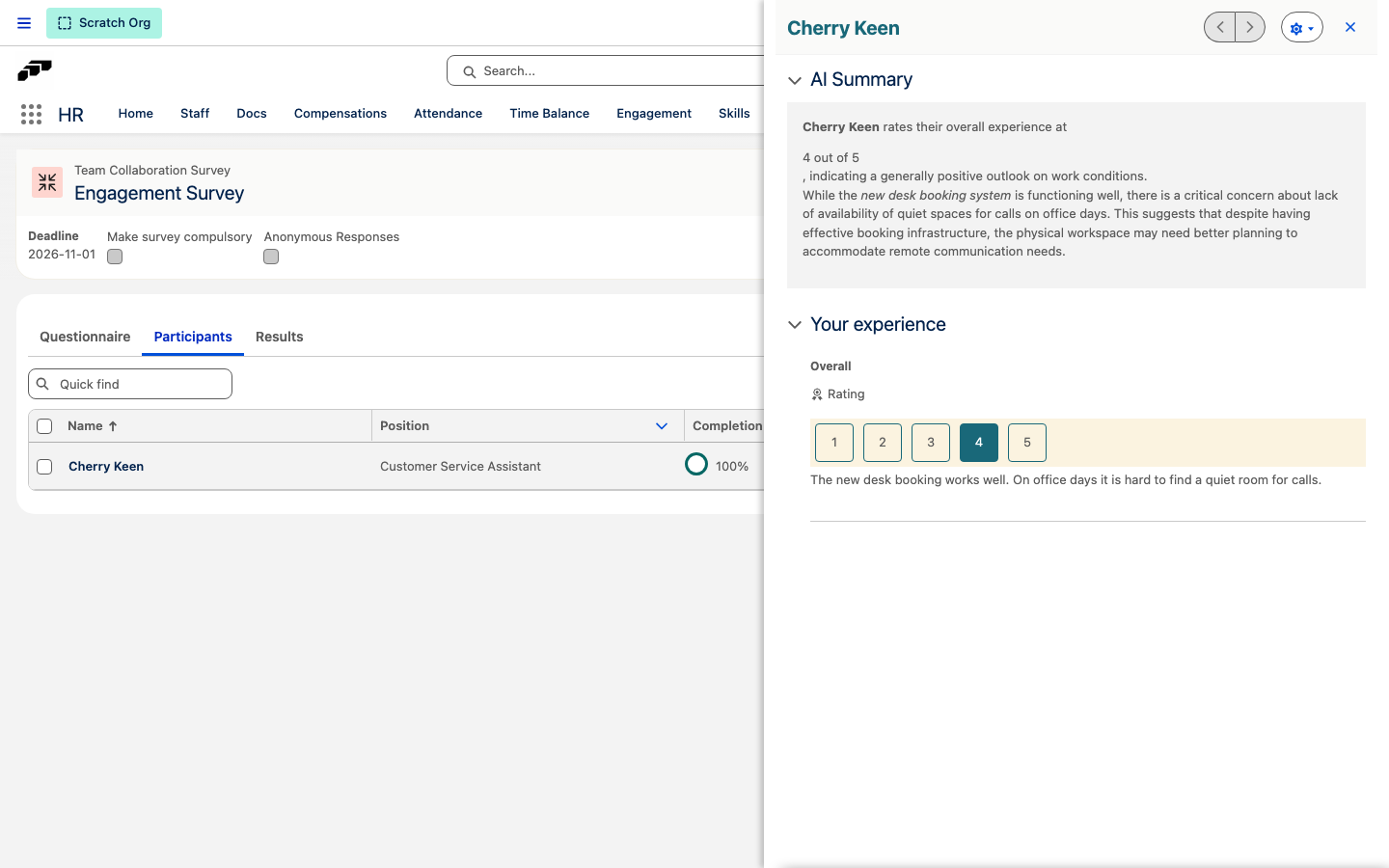
flair AI summarization feature automatically generates intelligent summaries of completed performance reviews and survey responses, helping you quickly understand key insights and feedback.
When AI Summaries Are Available
AI summaries are automatically generated and displayed only after performance reviews or surveys are completed by all participants. The summary section will not appear for in-progress or incomplete assessments.
Accessing AI Summaries
For Performance Reviews
- Navigate to Performance Reviews: Go to the completed performance review
- Click Employee Name: Select the specific employee whose review you want to view
- Find AI Summary Section: A new "AI Summary" section will appear on the page
- Expand the Section: Click to expand and view the summarized content
For Surveys
- Open Completed Survey: Navigate to the survey results
- Locate AI Summary: Find the "AI Summary" section in the survey interface
- Review Summary: Click to expand and view the summarized responses
What flair AI Summaries Include
Performance Review Summaries
flair AI analyzes and summarizes:
- Employee Self-Assessment: Key points from the employee's self-evaluation
- Manager Evaluation: Summary of manager's feedback and assessment
- Combined Insights: Overall themes and important observations
- Key Achievements: Highlighted accomplishments and strengths
- Development Areas: Identified areas for improvement or growth
Survey Summaries
flair AI provides:
- Response Overview: Summary of all employee answers
- Key Themes: Important patterns and common responses
- Notable Insights: Significant findings and standout feedback
- Action Items: Potential areas requiring attention or follow-up
Benefits of flair AI Summaries
Time Savings
- Quick Overview: Get the essence of lengthy reviews without reading every detail
- Efficient Analysis: Understand multiple responses at a glance
- Faster Decision Making: Identify key issues and strengths quickly
Better Insights
- Pattern Recognition: flair AI identifies themes you might miss
- Objective Analysis: Unbiased summary of subjective feedback
- Comprehensive View: Combines multiple perspectives into one summary
Improved Management
- Performance Tracking: Easy identification of employee progress
- Team Insights: Understanding of overall team sentiment and performance
- Action Planning: Clear identification of areas needing attention
How to Use flair AI Summaries Effectively
Performance Reviews
- Start with the Summary: Read the AI summary first for a quick overview
- Identify Key Areas: Note highlighted strengths and development needs
- Dive Deeper: Use the summary to guide where to focus detailed reading
- Plan Follow-ups: Use insights to plan development conversations
Surveys
- Review Overall Themes: Understand general employee sentiment
- Identify Action Items: Note areas requiring management attention
- Compare Results: Use summaries to track changes over time
- Share Insights: Use summaries for leadership discussions
Best Practices
- Trend Analysis: Compare summaries across teams and time periods
- Policy Insights: Use survey summaries to inform HR policy decisions
- Training Needs: Identify organization-wide development requirements
- Communication: Use summaries to communicate findings to leadership
Limitations to Consider
- Automated Analysis: Summaries are AI-generated and may miss nuanced details
- Context Dependency: Review original responses for full context when needed
- Supplementary Tool: Use summaries to enhance, not replace, human judgment
- Availability: Only appears after complete submission of all responses