Ask questions with the AI command bar
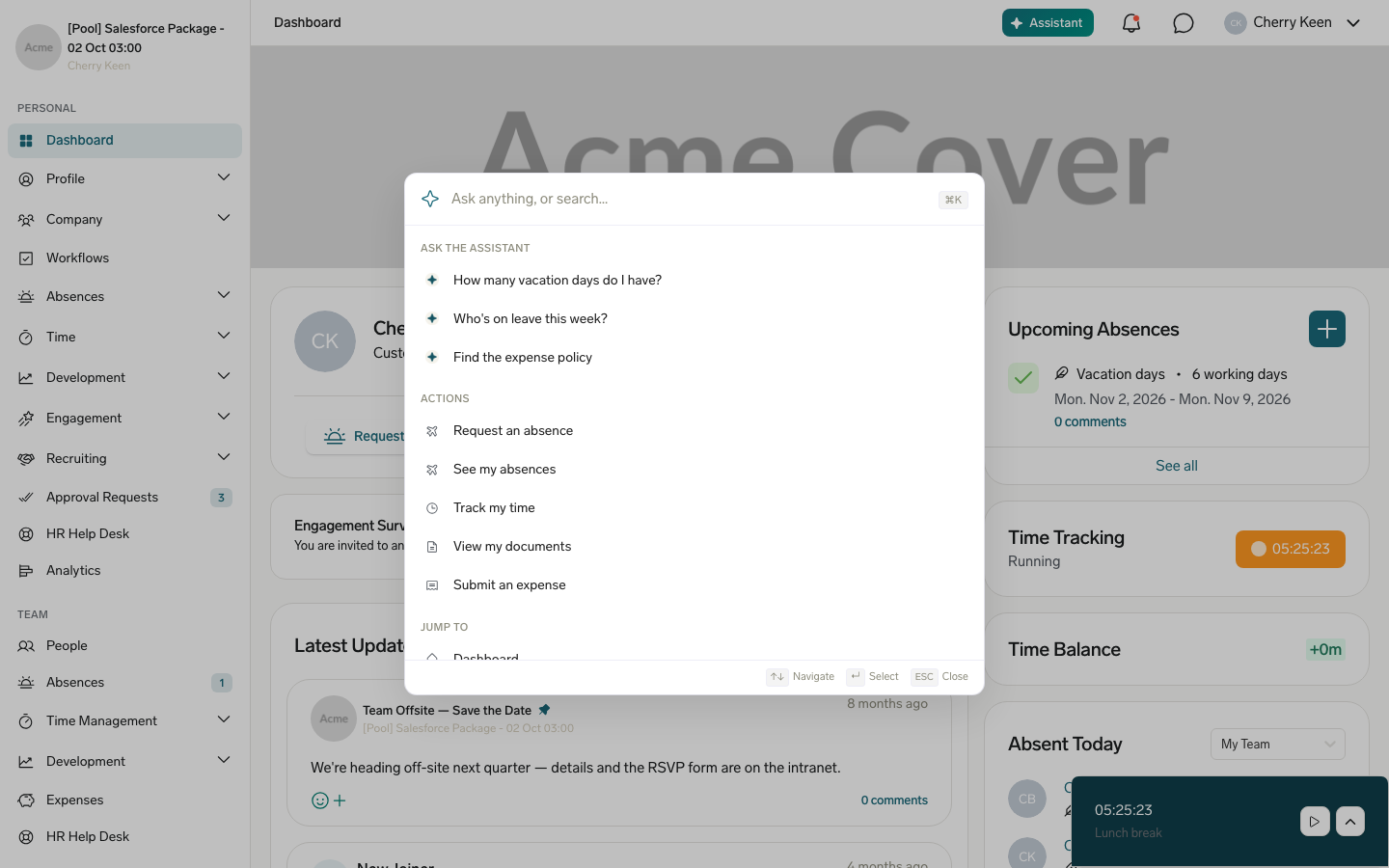
Use the AI command bar to ask HR questions in natural language from anywhere in the Employee Hub. It answers using your own HR data — absences, time tracking, expenses, documents, shifts, surveys, support tickets, goals, and your team — and using company policy documents and flair Knowledge Base articles, and it cites the sources it used.
Employees in the Employee Hub at organizations that have flair AI for HR in their subscription. If Assistant doesn't appear in your top navigation, your organization's subscription doesn't include flair AI for HR.
Open the assistant
- From anywhere in the Employee Hub, click Assistant in the top navigation, or press ⌘+K on macOS or Ctrl+K on Windows. The command bar opens with suggested questions under Ask the assistant.
- Select a suggested question, or enter your own natural-language question.
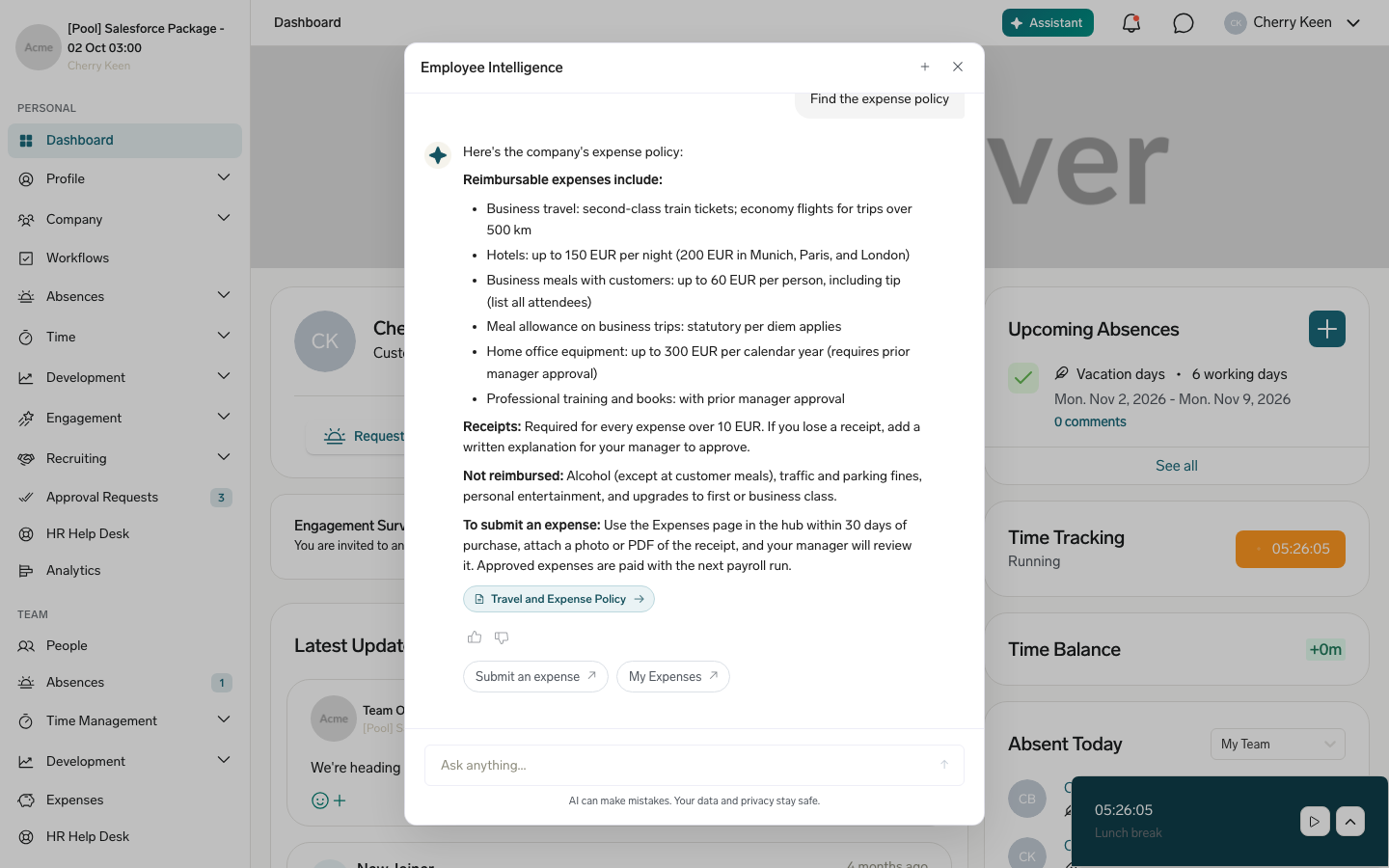
- Review the answer. A question about your data, such as your absence balance or upcoming shifts, shows a result card; a policy or how-to question cites the source it used.
- In the answer, click a source citation or a linked page to see the full detail or complete the action yourself.
AI can make mistakes. Confirm payroll, legal, time-sensitive, or other important information with your HR team.
Ask about your data or company policies
| Category | Examples |
|---|---|
| Your HR data | Absence balance and upcoming absences, time tracking status and timesheets, recent expenses, personal documents such as payslips and contracts, upcoming shifts, surveys you still need to complete, your goals or OKRs, and the status of your support tickets |
| Company policies | Questions about company rules, entitlements, and benefits, answered from the policy documents you have access to |
| How-to guidance | Questions about using flair, answered from the flair Knowledge Base |
| People | Your manager and teammates, or a colleague with a particular skill |
The assistant only reads and explains data — it does not create, change, or delete anything. When you ask it to do something, such as request an absence, clock in, submit an expense, or open a ticket, it answers the question and gives you a link to the page where you complete the action yourself.
The assistant replies in your Employee Hub language, even if you write in another language. To get a reply in a different language, ask for it in your question. An answer can include policy steps, requirements such as a doctor's certificate, and a link to the source document or the page where you take the next step.
Open a cited source
- In the assistant's answer, review its source citations.
- Click a citation for one of your company's documents to open it inside the Employee Hub, or click a citation for a flair Knowledge Base article to open it in a new tab.
Check document access
The assistant uses only the company documents that are visible to you in the Employee Hub. It does not use a document whose visibility is limited to a group that you are not part of.
The assistant reads the text of PDF, Word (DOC and DOCX), and TXT files. A newly uploaded document becomes available as soon as flair has extracted its text, usually within a minute. When HR replaces a document's file or adds a new file to it, flair extracts the text again, and the assistant answers from the new text once that's done.