Reporting and analytics overview
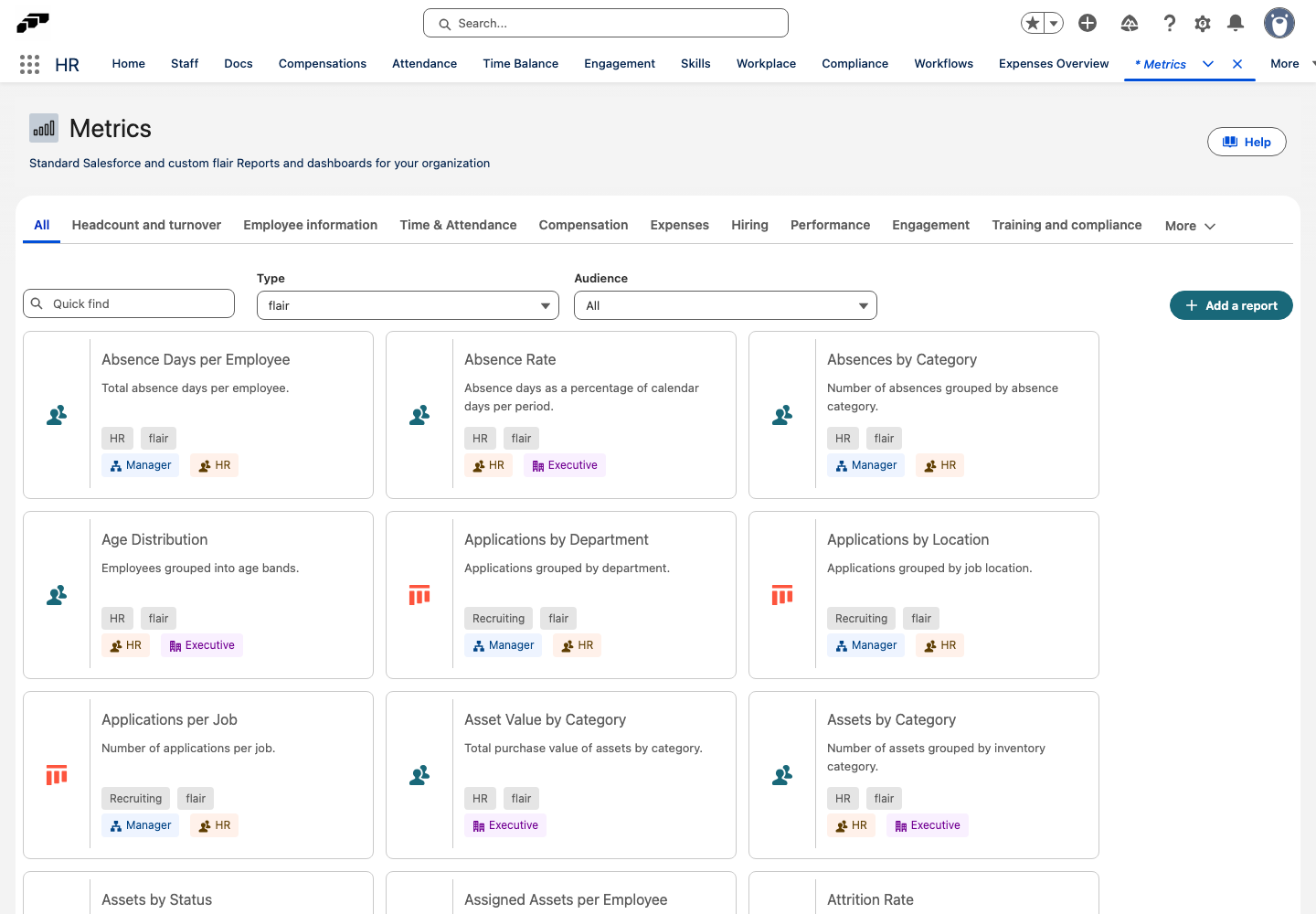
flair Reports are flair's own reports: more than 100 ready-to-use reports on headcount, time and attendance, compensation, hiring, performance, and more. They come with the flair package, so they work without any setup. You can also create your own. The same report appears in Salesforce, in the Employee Hub, and on employee records, so everyone looks at the same numbers.
HR Admins, Recruiters, and Managers in Salesforce. Employees and Managers in the Employee Hub. What each person sees depends on their Salesforce permissions and the report's Employee Hub scope.
What you can do
- Browse the report library: open the Metrics tab to find every flair Report and packaged Salesforce report in one place, filtered by subcategory, type, and audience.
- Explore a report: change the period, interval, grouping, measure, and chart type, filter the results, and drill into the records behind each number.
- Export results: download a report's data as CSV or Excel.
- Create your own reports: describe a report in plain language and let flair AI build it, or configure the object, dimensions, and measures yourself.
- Share reports in the Employee Hub: publish a report to Analytics, so employees see their own data and managers see their team's data.
- Show metrics on records: see an employee's time balance and absences on the Metrics tab of the employee record, or embed a report widget on any Lightning page.
- Use standard Salesforce reports: for ad hoc analysis and dashboards, use the Salesforce report builder with the report folders and report types included in the flair package.
Where it happens
| Surface | Who uses it | What it's for |
|---|---|---|
| Metrics tab in Salesforce | HR Admins | The full report library, including packaged Salesforce reports |
| flair Reports tab in Salesforce | HR Admins, Recruiters, flair managers such as Absence or Attendance Managers | Opening, creating, configuring, and publishing flair Reports |
| Analytics in the Employee Hub | Employees, Managers, hiring managers | Personal and team reports, scoped to the viewer |
| Metrics tab on an employee record | HR Admins, Attendance and Absence Managers | One employee's time balance, hours, and absences |
| Reports tab in Salesforce | HR Admins, Salesforce Admins | Standard Salesforce reports and dashboards |
flair Reports respect Salesforce access. A report shows only the records the viewer is allowed to see. In the Employee Hub, each report's scope also limits the data, for example to the viewer's own records or to their team.
Start here
- View and export flair Reports
- Create and publish flair Reports
- Use Analytics in the Employee Hub
- Show metrics on records and Lightning pages
- Packaged flair Reports reference
- Build Salesforce reports on flair data