Configure HR Digest Notifications
Send HR teams an automated email summary of upcoming employee birthdays, work anniversaries, and absences. Configure each digest on HR Home or in HR Admin with its recipients, schedule, content, and employee segment.
Salesforce users with the HR_Manager custom permission. HR Home shows the Digest Configurations card only to these users.
Create an HR digest
- In Salesforce, open HR Home. You can also open HR Admin → Notifications → Digests, which lists the same digests.
- Click Add new configuration. On HR Home, it's the + icon on the Digest Configurations card.
- Under Digest Type, select HR.
- Under Team, select the recipient team, such as
HR Germany. - Under Frequency, select Daily, Weekly, or Monthly.
- Configure the schedule for the selected frequency.
- Select the content: Include Birthdays, Include Anniversaries, Include Absences, or any combination. Birthdays and anniversaries are selected by default; absences are not.
- Enable Active.
- Click Save. flair schedules the next run from the selected send time.
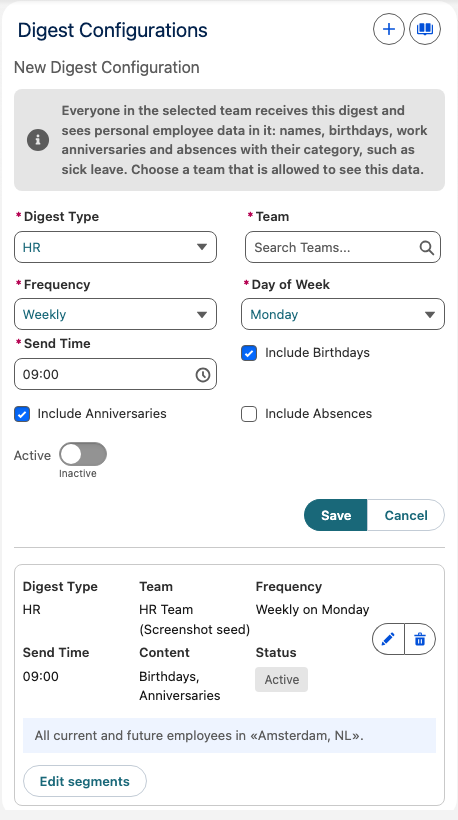
Everyone in the selected team receives the digest and sees the personal employee data in it: names, birthdays, work anniversaries, and, with Include Absences, absences with their category, such as sick leave. Choose a team that is allowed to see this data.
The frequency controls these schedule settings and email periods:
| Frequency | Schedule | Events in the email |
|---|---|---|
| Daily | Select a send time. | Events today and tomorrow. |
| Weekly | Select a weekday and send time. | Events from today through the next 7 days. |
| Monthly | Select a day from 1 through 28 and a send time. | Events from today through the next 30 days. |
Limit a digest with an employee segment
Use an employee segment to limit a digest by criteria such as location or entity.
- On the Digest Configurations card, find the saved digest.
- Click Edit segments.
- Define the criteria, such as
Location = AmsterdamorEntity = Germany GmbH. - Click Save.
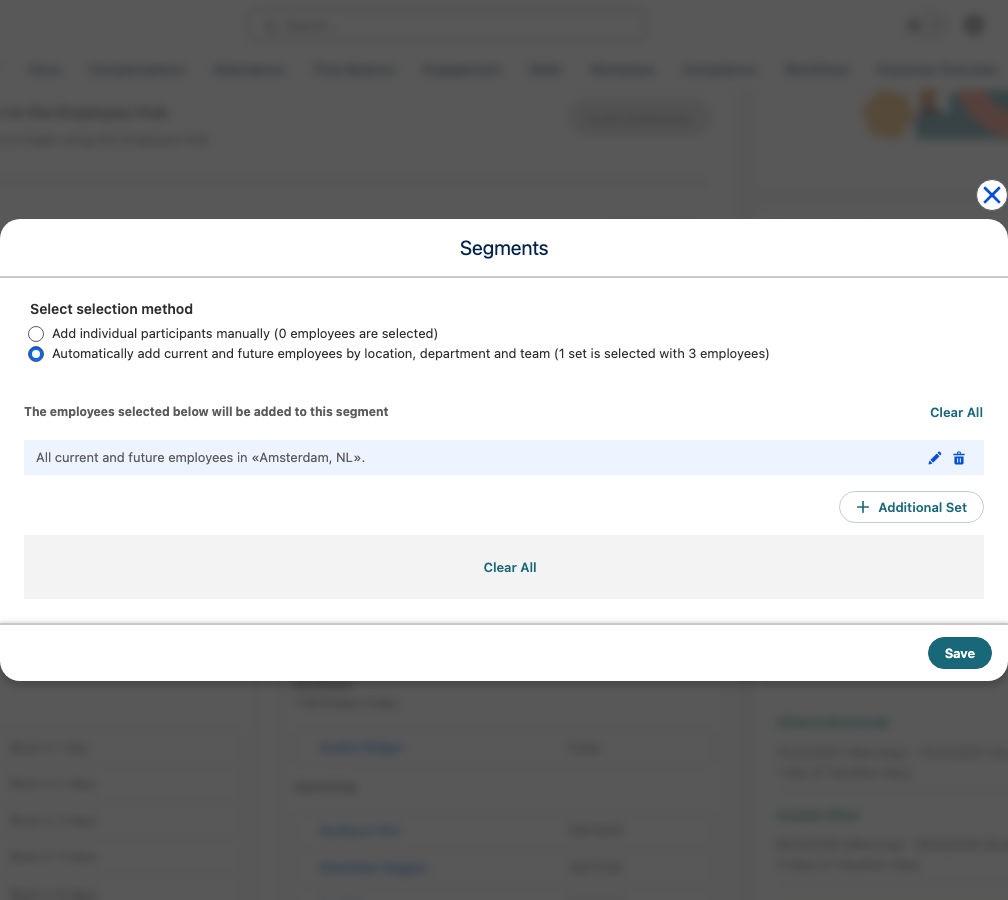
You can create multiple configurations with different segments:
| Digest | Team | Segment | Frequency |
|---|---|---|---|
| Germany HR Digest | HR Germany | Location: Germany | Weekly on Monday |
| Austria HR Digest | HR Austria | Location: Austria | Weekly on Monday |
| All Company Digest | People Team | All employees | Monthly on the first day |
Review the digest email
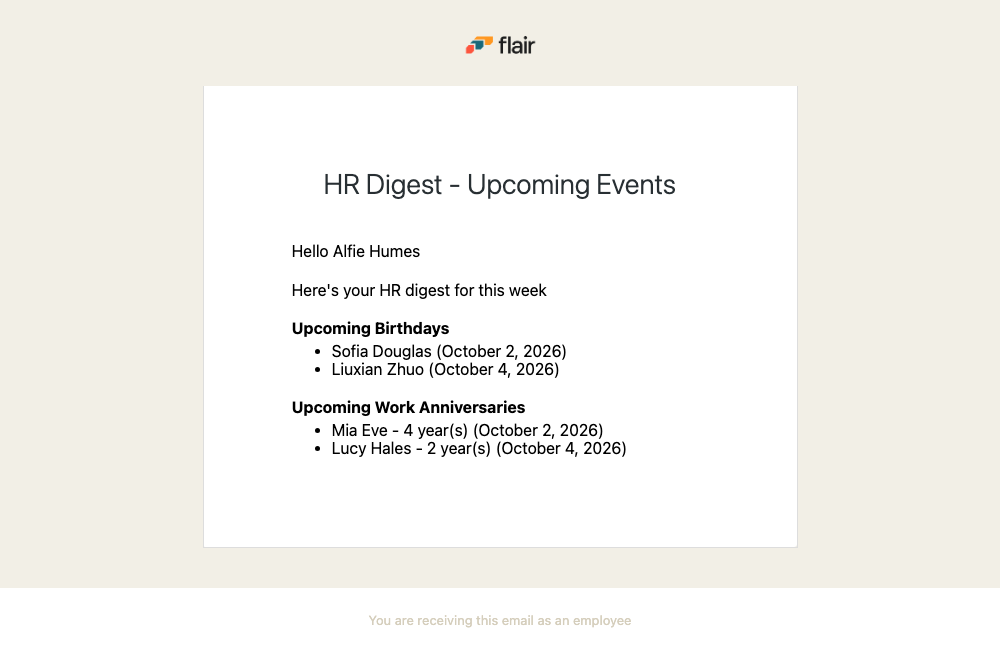
The email, with the subject HR Digest - Upcoming Events, lists employees with birthdays and work anniversaries in the period determined by the frequency. With Include Absences, it also lists the approved absences of the covered employees that overlap that period, with the employee, absence category, and dates.
Manage HR digests
On HR Home, you can manage every saved digest:
- Edit changes the digest type, team, frequency, schedule, or included content.
- Turning off Active in Edit pauses a digest without removing its configuration. Turn it on again to resume.
- Edit segments changes which employees the digest covers.
- Delete removes the digest configuration.